A TWRP and a CM7 for an Allwinner A10 tablet, with GPU and sensors
The BRONCHO PAD703 is a 7-inch tablet with an Allwinner A10 (the sun4i family, Cortex-A8, Mali-400 GPU), an 800×480 screen and a stock Android 4.0.3. MemTotal reads about 306 MB although the board has 512. adb gives me root, and that changed everything: I could measure almost every claim instead of assuming it. This article follows the road to a TWRP and a CyanogenMod 7 (Gingerbread) that boot on it, with what works and what does not.
NAND map, and backups first
The NAND splits into nanda through nandj: nanda is a 16 MB FAT holding script.bin and U-Boot, nandb is the U-Boot environment, nandc is boot, nandd is system (256 MB), nande is data, nandf is misc, nandg is recovery, nandh is the cache, nandi is an /oem and nandj is user storage. Before writing anything I copied nanda, nandb, nandc, nandf and nandg to the PC, with a sha256 for each.
One method trap: Android 4.0’s adb has no exec-out, so each partition is first copied to user storage (nandj, not to the system partitions) and pulled with adb pull.
The TWRP: a kernel that already worked
Stock boot and recovery carry the same zImage (Linux 3.0.8). I reused it as is, and with --base 0x40000000 the regular mkbootimg reproduces the original header, no special tools. The rest came down to measured details:
- Touch.
ft5x_tsis a.komodule that Android loads from/system. A recovery has no/system, so it goes inside the ramdisk. - Colour.
fb0is 800×480 at 32 bpp, andBGRA_8888was right the first time. - Brightness. There is no
/sys/class/backlight. I disassembled Android’slights.sun4i.soand saw it does anioctl0x142on/dev/dispwith{0, brightness, 0, 0}(Allwinner’s kernelDISP_CMD_LCD_SET_BRIGHTNESS). I patched TWRP to use it when the device asks, and the brightness control works. - Rebooting to recovery. U-Boot ignores the argument of
reboot(): neitheradb reboot recoverynor TWRP’s own menu got in. It only looks at themiscpartition. You have to write the boot message (boot-recoveryat offset 0 andrecovery\nat offset 64, 1088 bytes) before rebooting. TWRP runs/sbin/rebootrecovery.shif it exists, and that is where it goes. It works, and TWRP clears the message at boot so there is no loop. - With buttons.
script.binsays[recovery_key] key_min=8 key_max=20. Reading the keyboard ADC register (0x01C2280C) while pressing, volume up reads 18 (inside the range) and volume down reads 24–25 (the factory-mode range, 21–30). With the tablet off: volume up plus power. I confirmed it by booting.
A TWRP backup and restore tested for real: boot and cache restore with the sha256 of nandc identical to the original, and the restored system booted the factory Android again.
The CM7: what kept failing, in order
The device tree (device/allwinner/a10) uses the stock kernel and the stock blobs. It builds first time, but it did not boot, and every layer had a different cause that could be demonstrated:
- SurfaceFlinger crashed in a loop. Android 4.0’s
libUMP.soimports__popcount_tab, a symbol ICS’s libc exports and Gingerbread’s does not. Worse: Gingerbread’slibuidoes have it, but Gingerbread’s linker only searches a library’s direct dependencies, andlibUMPdoes not depend onlibui. I provide it fromlibcutils, which is a direct dependency, with a 256-byte table I checked byte for byte against ICS’s. - ICS data in
/data. The contacts provider found a version 625 database and could not downgrade to 353.datamust be wiped when switching Android versions (I took a verified backup first). - Dalvik memory. Without
dalvik.vm.heapsizethe limit was 16 MB andsystem_serverdied decoding the wallpaper. SystemUIin a crash loop. The code looked up a resource under one identifier and the APK had it under another:out/target/commonis a cache shared between devices, and classes from another build were left in it. Deleting those intermediates fixed it. I caught it by comparing identifiers withaaptinstead of trusting “it builds without errors”.- The GPU. This was the longest job, and it came in two stages. First I got it to boot with the factory Android’s libraries (ICS, Mali r2p4), which are the ones that match the tablet’s kernel driver. In this Gingerbread,
egl.cfgis0 0 android(software) and0 1 mali(hardware), and SurfaceFlinger went from Android PixelFlinger to Mali-400 MP, OpenGL ES 1.1. It worked, but at 25 FPS with the CPU saturated. How I fixed that is in the “The 25 FPS” section. - CheckJNI. An
engbuild enables it and slows Dalvik down. Theuserdebugvariant fails in ProGuard on someone else’s app, so I turn it off withdalvik.vm.checkjni=false, whichAndroidRuntimegives priority.
Sensors: the chip was not what the stock claimed
Stock Android loaded three accelerometer drivers and the dmard06 one registered an input device. But reading the I²C bus directly, at the DMARD06’s address (0x1c) nothing answers; at 0x4c an accelerometer answers with exactly an MMA7660’s register map. With mma7660.ko loaded before system_server and the stock HAL, screen rotation works (it takes a moment, which is normal in Gingerbread). One detail that cost me a reboot: after an rmmod of that module while the sensor was in use, the tablet restarted on its own. I did not prove the cause, but I no longer unload it live.
No Bluetooth, no SIM: what is surplus
script.bin says bt_used = 0 and the Wi-Fi is a Realtek over USB, not a combo chip. Reading the code I saw that Android only removes Settings’ Bluetooth switch when there is no service, but leaves the “Bluetooth settings” entry. I made a small patch in SystemServer and in Settings, off by default so other devices are untouched. I checked that the service no longer exists at boot, but I have not looked at the Settings screen. The Mms, VoiceDialer and Bluetooth apps are optional and cannot be removed with filter-out, because inherit-product resolves the lists later: you need a base product of your own that does not include them. The same goes for Contacts, which also carries the “Phone” and “Contacts” icons: it comes in core.mk, so I copied that list without it. I kept Phone.apk (the telephony service, no icon), because removing it can break TelephonyManager. And the Home, Menu and Back buttons show up in the status bar thanks to the “Tablet tweaks” feature CM7 already ships (three resources turn it on).
Wi-Fi: four chained faults
On CM7 the Realtek 8192cu module loaded but the USB dongle was never enumerated. An A/B test with the factory Android showed the hardware was fine, so the fault was mine. Four causes turned up one after another, each hidden behind the previous one:
usb_wifiwants text, not a number. The stocklibhardware_legacy.sowrites to/sys/class/usb_wifi/rtl_wifi/usb_wifibefore theinsmod. My patch wrote1and nothing happened. Disassembling the kernel’srtl_usb_wifi_storeshowed it compares the string withonandoff; with1the write is ignored. Withon, the dongle enumerates andwlan0appears.wpa_supplicant’s socket. Gingerbread’s client looks for the socket under/data/system/wpa_supplicant, not by name. You have to drop thesocket wpa_wlan0line from the service and usectrl_interface=DIR=/data/system/wpa_supplicant GROUP=wifi.initordering. The device.rcis imported before the genericinit.rc, so inpost-fs-data/data/miscdoes not exist yet. Themkdirs for/data/misc/wifi/socketsand/data/misc/dhcpfailed silently, so the client could notbindanddhcpcdcould not save its file. They move toon boot.- My own Bluetooth patch. On connect,
WifiStateTrackerqueries an A2DP service I had removed, and theNullPointerExceptiontooksystem_serverdown in a boot loop. Catching it fixes it, and to get out of the loop I setwifi_on=0insettings.dbfrom the PC.
Result: WPA2, DHCP and internet access, and it reconnects on its own after a reboot.
With the ROM already “stable”, two more faults showed up, the kind that only appear in real use:
offwas never written.usb_wifi’sonpowers the dongle and takes thertl_usb_wifiwake lock; onlyoffreleases it. My patch never wrote it, so with Wi-Fi off the CPU stayed awake. I checked it live:echo off > usb_wifireleased the lock. The fix is to writeoffwhen the driver is unloaded. With Wi-Fi on, the lock stays by the driver’s design and the CPU never drops below 1.2 GHz: that is a battery issue, not a stability one.- The first boot after a data wipe.
/data/systemis created bysystem_serverlater, so theinit’smkdir /data/system/wpa_supplicantfails andwpa_supplicant, which runs as userwifi, cannot create its control socket: Wi-Fi does not scan. It only happens after awipe; from the second boot on the directory exists, which is why I had not seen it. The fix is to create/data/systemfirst.
Audio, camera and microSD
Audio. The kernel already exposes ALSA (sun4i-CODEC and HDMI), so CM7’s generic HAL (hardware/alsa_sound with alsa-lib) is enough. I had to delete the libaudioflinger objects, because make does not track compiler flags. It was still silent: the codec boots with Playback Switch off and DAC Switch on MUTE. A boot script turns them on and raises Master Playback Volume to 63 (at 50 it was very quiet; each step is about 1 dB).
Camera. There is a single front VGA sensor (gc0308). The stock camera.exDroid.so is an ICS module and does not work on Gingerbread, so I wrote my own libcamera over V4L2 (/dev/video0). What it cost:
- My test client, built with a modern glibc, used an 80-byte
struct v4l2_buffer(time64) while the kernel expects 68:QUERYBUFfailed withEINVAL. - The driver demands 3 buffers and a single open, and rejects
S_PARM, which the stock HAL does not use either. - The Mali GPU does not draw NV21 (
format 17 not supported by the GL). The HAL serves RGB565, and aCameraServicepatch, off by default, takes the format frompreview-formatinstead of the hardcoded one. - The viewfinder stuttered: converting took 103 ms per frame because the V4L2 mmap buffer is uncached memory. Copying it first with
memcpybrought it to ~14 ms. - A deadlock:
CameraServicecallbacks take the client lock, whichtakePicturealready holds. And an AndroidThreaddetail: it dies silently if you drop its last strong reference, leaving/dev/video0busy. - CM7’s Camera app assumes
degrees = 90(portrait phone). On a naturally landscape tablet that rotates the preview; the patch uses 0 when the screen is landscape by default.
EXIF. The factory Android saves every photo with Orientation, make, model and focal length; mine had nothing, so a portrait photo showed up lying down. The HAL now writes a minimal EXIF block (orientation from the rotation the app asks for, date, BRONCHO/PAD703, 3.43 mm).
Video. Gingerbread ships software encoders inside libstagefright (AVC, MPEG-4, AAC), so the work is in the HAL and in a media_profiles.xml of my own. The HAL hands over YUV420SP frames with a timestamp and waits for the app to give them back; those buffers arrive as binder proxies, so they are identified by their position in the heap, not by pointer. Measured on the tablet, at 640×480:
| Codec | real fps | Factory (ICS) |
|---|---|---|
| MPEG-4 + AAC | 13.2 | 14.35 (H.264) |
| H.264 + AAC | 5.8 |
Software H.264 is limited by a single core (I do not know which encoder the factory firmware records with; perhaps Allwinner’s hardware one), so the “high” quality uses MPEG-4. The AAC audio carries a real signal (mean level −31.8 dB). AMR at 8 kHz comes out broken: the capture HAL ignores the requested rate and records at 44.1 kHz, so both qualities use AAC. One infrastructure detail: Android keeps the profiles in a static variable inherited from zygote, so a new media_profiles.xml is not picked up until you reboot.
microSD. It is FAT32 with no partition table (mmcblk0). The mount point was missing (/mnt is created in on init, after early-init) and Gingerbread only auto-mounts the primary volume, so a boot service mounts it with vdc.
Reboot → Recovery. It works from CM7’s menu. It failed because /dev/block/nandf was root:root 0660 and the BCB write, which runs inside system_server, failed silently; a chown in the init fixes it.
The 25 FPS: a clock that took 22 ms
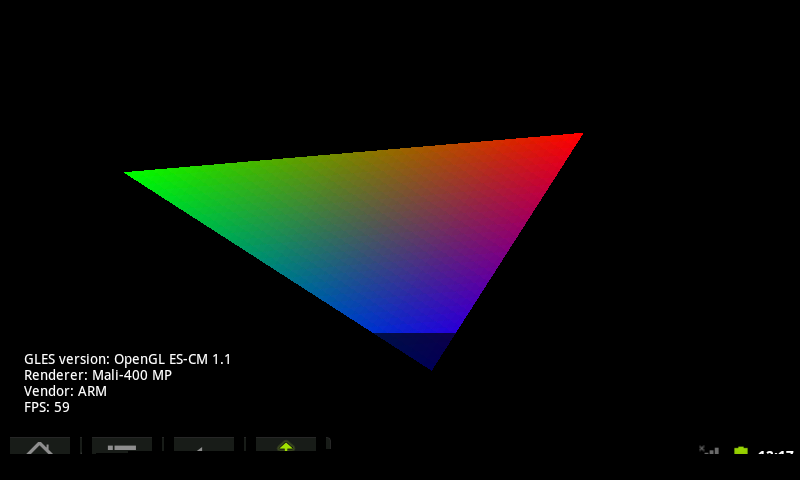
With an OpenGL test that draws a triangle, the factory Android gave 59 FPS (the screen’s ceiling) with the app at ~7 % CPU. My CM7 gave 25 FPS with the app at 90 %, almost all of it in the kernel. A single triangle cannot cost that, and Gingerbread should not run slower than ICS. Here is the path, false leads included.
False lead 1: triple buffering. Raising Layer::NUM_BUFFERS from 2 to 3 in SurfaceFlinger put the tablet in a boot loop; I reverted it.
The GPU, end to end. The reasonable suspicion was mixing ICS’s Mali userland (r2p4) with Gingerbread’s framework. Allwinner published its kernel with the Mali driver in r2p1, r2p2 and r2p3, and the Gingerbread userland that exists (from sztupy) is r2p2. I built mali.ko and ump.ko r2p2 for the tablet’s 3.0.8 kernel. Three obstacles:
- The kernel requires every imported symbol to match in CRC (
modversions). I generated aModule.symversby reading the CRCs from the factory modules (586 symbols, 0 conflicts). Without it,insmodfails with “no symbol version for module_layout” and SurfaceFlinger crashes. - The
vermagiccame out3.0.8+(git adds the+); you have to move.gitaside so it is3.0.8. - The r2p2 in the drop does not enable the GPU clock; I copied the logic from the factory r2p4.
Result: 42 FPS. Better, but the CPU was still saturated.
False lead 2: the Mali driver. One thread spent 90 % of its time in a kernel busy-wait (__delay). I instrumented _mali_osk_time_ubusydelay: it added up to 164 ms in 190 s (0.25 % of CPU). It was not Mali.
False lead 3: power management. Removing the PMU power-down did not change the FPS, and building without PMM left the screen black. That is where I learned to watch the boot with three conditions (module loaded, Boot is finished, animation stopped), because boot_completed jumps to 1 even with a black screen.
The good lead. strace mislabelled the calls (it uses ARM’s OABI table). I wrote a test program with known EABI call numbers and found that msgget was actually clock_gettime. The long call was clock_gettime(3, …), that is CLOCK_THREAD_CPUTIME_ID. Measured with another program:
| Clock | µs per call |
|---|---|
CLOCK_REALTIME | 1.5 |
CLOCK_MONOTONIC | 2.5 |
CLOCK_PROCESS_CPUTIME_ID | 1.7 |
CLOCK_THREAD_CPUTIME_ID | 21,813 |
The tablet’s kernel spins for 22 ms on that read. And in Gingerbread each window’s buffer queue (SharedBufferClient::dequeue() and queue()) reads it twice per frame just to fill stats.totalTime, a statistic that is only printed in dumpsys SurfaceFlinger. As far as I know, ICS no longer has that queue (I have not checked its code). The fix is to read the monotonic clock instead (a patch that is off by default, switchable from BoardConfig). Result: 59 FPS with the app at 4 %, the same as the factory Android. And because the read was in every window, the whole interface gets faster, not just the test.
The lock screen in a 480×320 box
After a clean wipe, the lock screen came up in a centred 480×320 box, with the volume button cut off at the top and the padlock at the bottom. The layout uses match_parent, so the XML was not the problem. dumpsys window windows said so straight away:
Window{… Keyguard}: mAttrs=WM.LayoutParams{(0,0)(fillxfill) … compatible=true}
Surface: rect=(160,0) 480 x 320
The window was running in compatibility mode, like an old app made for small screens. The flag comes from CompatibilityInfo.supportsScreen(), and that class’s default constructor (the one the system process uses) only enabled EXPANDABLE, with no LARGE_SCREENS or XLARGE_SCREENS. Nobody notices on a 480×320 phone; on an 800×480 tablet you do. My first attempt was to declare <supports-screens> in framework-res’s manifest: it did not work and I reverted it. The fix that worked was adding those flags to the default constructor. Since it affects every window of the system process, dialogs come out complete too. After the change the window is 800×432 and no longer carries compatible=true.
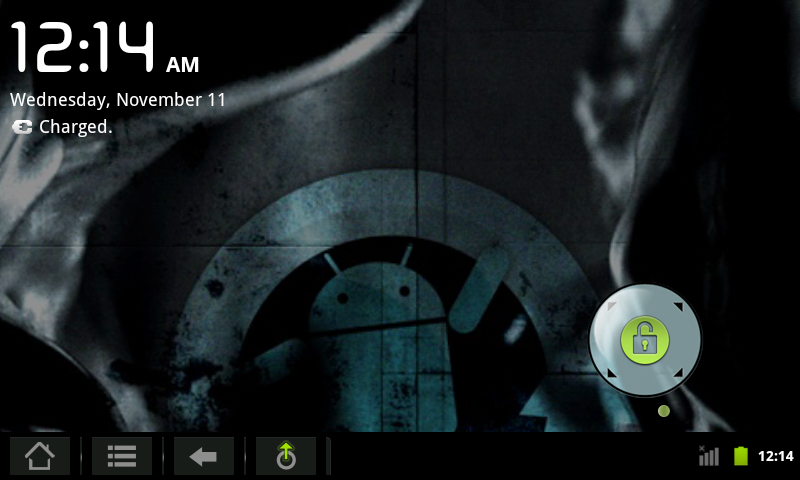
And since the tablet takes no SIM, the “(No service)” carrier text was pointless: a LockScreen patch hides it when the property ro.lockscreen.hide_carrier is true, which only this device sets, so others are unchanged.
Two firmwares, or two tablets
The first dump of the tablet said build 20120725, a kernel from 26 July, with dmard06 and working Wi-Fi. The TWRP backup was build 20120709. I have two units and I suspect the dump was from the other one, but I did not check. The differences are in hardware (the accelerometer) and firmware, and adb shows both under the same generic Allwinner serial number.
Lessons in method
- Verify inside the zip, not just “it built without errors”. That is how I found three things that looked done:
build.prop, the leftover apps and the reboot patch. makedoes not track compiler flags. ChangingCFLAGSdoes not rebuild the object: delete the intermediates. After changing properties,make installclean.- adb over USB stops answering while the tablet sleeps; I saw it in the log timestamps. A wakelock (
/sys/power/wake_lock) for long tests. - Data from another Android version breaks boot. Verified backup before wiping.
- When something “should” exist and does not, read the chip directly before trusting the driver’s name.
- Measure before assuming. Three plausible hypotheses (triple buffering, the Mali driver, the PMU’s power) were false; what solved it was timing each clock separately.
- Calibrate your tools. An old
stracemislabelled the calls; a test program with known numbers cleared it up in minutes. - Watch with strict conditions. “The system boots” is not enough if the screen is black: check the module is loaded,
Boot is finishedand the animation stopped, and restore only if it fails. - Test a clean install too. With the usual data Wi-Fi worked; only the first boot after a
wipeshowed a directory was missing. What “already works” can depend on state left by earlier tests. - Test suspend with USB unplugged. The kernel (
sw_udc) refuses to sleep with the cable connected (error -16), so any suspend test with adb attached is invalid. With the tablet on its own, 4.4 minutes asleep and GPU, camera, audio and Wi-Fi worked on wake-up. - Ask the system, don’t guess.
dumpsys window windowsgave the cause of the clipped screen in one command, after I had suspected the layout. - Verify file uploads. With the internal storage at 99 %,
adb pushsaid “1 file pushed” without saving anything; I check the zip’smd5on the tablet before installing.
Status
| Works (I saw it on screen) | Pending |
|---|---|
| Boot, screen, touch, status bar at the bottom | AMR/MMS (the capture HAL ignores 8 kHz) |
| Mali r2p2 GPU at 59 FPS, accelerometer and rotation | Faster H.264 (5.8 fps today; perhaps with Allwinner’s hardware encoder) |
| Wi-Fi (WPA2, DHCP, internet) | Camera sizes other than 640×480 |
| Audio through the speaker | Deep sleep with Wi-Fi on (the Realtek driver holds a wake lock; costs battery) |
| Front VGA camera: preview, photo with EXIF and video (MPEG-4 at 13 fps) | |
microSD at /mnt/extsd | |
| Reboot → Recovery from the menu | |
| No Messaging, Phone or Contacts; Bluetooth has no service | |
| Backup and restore with TWRP | |
| Full-size lock screen with no carrier text |
Density stayed at 160: at 120 everything looked small.
To call the ROM stable I tested it like this: five cold boots in a row, two first boots after a data wipe, a 9-minute GPU run, Wi-Fi cycles, a camera loop and a real suspend. The front camera is a VGA (0.3 MP) and there is no other sensor; the factory Android had the same one.